
What a PCB is and how it’s made
Before you touch a single tool, it helps to know exactly what you are setting out to build. In this chapter, I’ll show you what a printed circuit board really is. You will learn what a PCB what it’s made of, what each part does, and the names we use for those parts. Then we’ll follow a design from an idea on your screen all the way to a finished board in your hand, install KiCad 10 on your computer, and take a quick look around the KiCad workspace so the rest of the book feels familiar. This is the most “reading” you’ll do for a while; from the next chapter on, you’ll be doing.
PCB anatomy
As a child, my interest in electronics grew from admiration of what clever engineers had come up with into plain curiosity about how those things actually worked. That curiosity led me to take an old screwdriver to anything electronic with a screw that fit. A record player, a VCR, and a radio were only a few of my “victims.” I am still surprised I never got electrocuted, though I did at least have the good sense to unplug things from the mains first. Inside those devices I found all sorts of wonders: resistors, transformers, integrated circuits, coils, and power supplies.
The engineers had attached all those parts to small boards (Figure 1.1). A board like that is a ‘printed circuit board,’ or ‘PCB’ for short. It is the flat green (or red, or blue, or black) slab that almost every electronic device is built around. Its job is twofold: to hold the components in place, and to wire them together electrically without a single loose strand of hook-up wire. Let’s look at what a PCB is made of, what each part is called, and why it’s there. The example I’ll use throughout this section is a simple board I designed for this book (Figure 1.1).
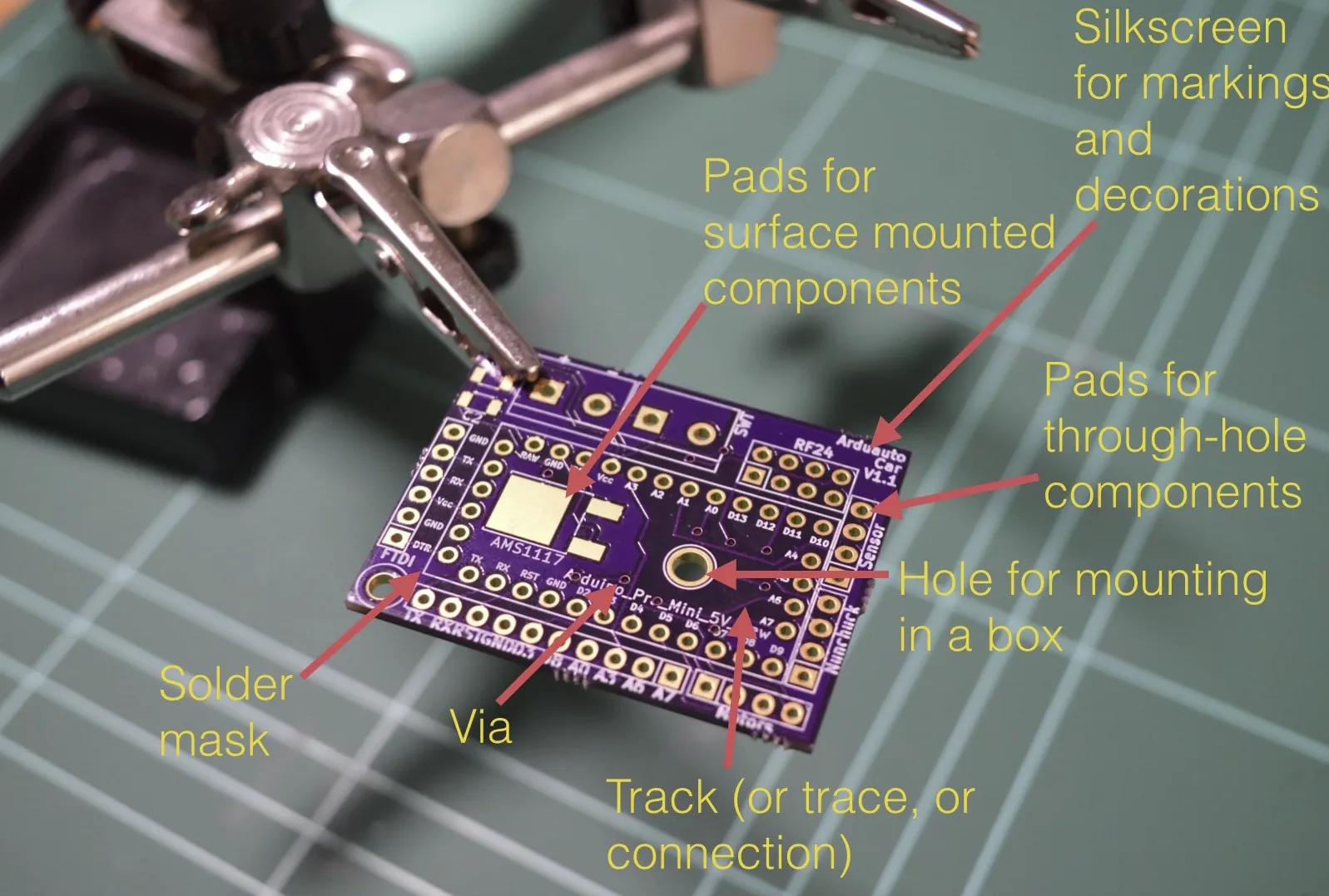
Figure 1.1: The top side of our example board, with the main features we’ll meet in this section labelled.