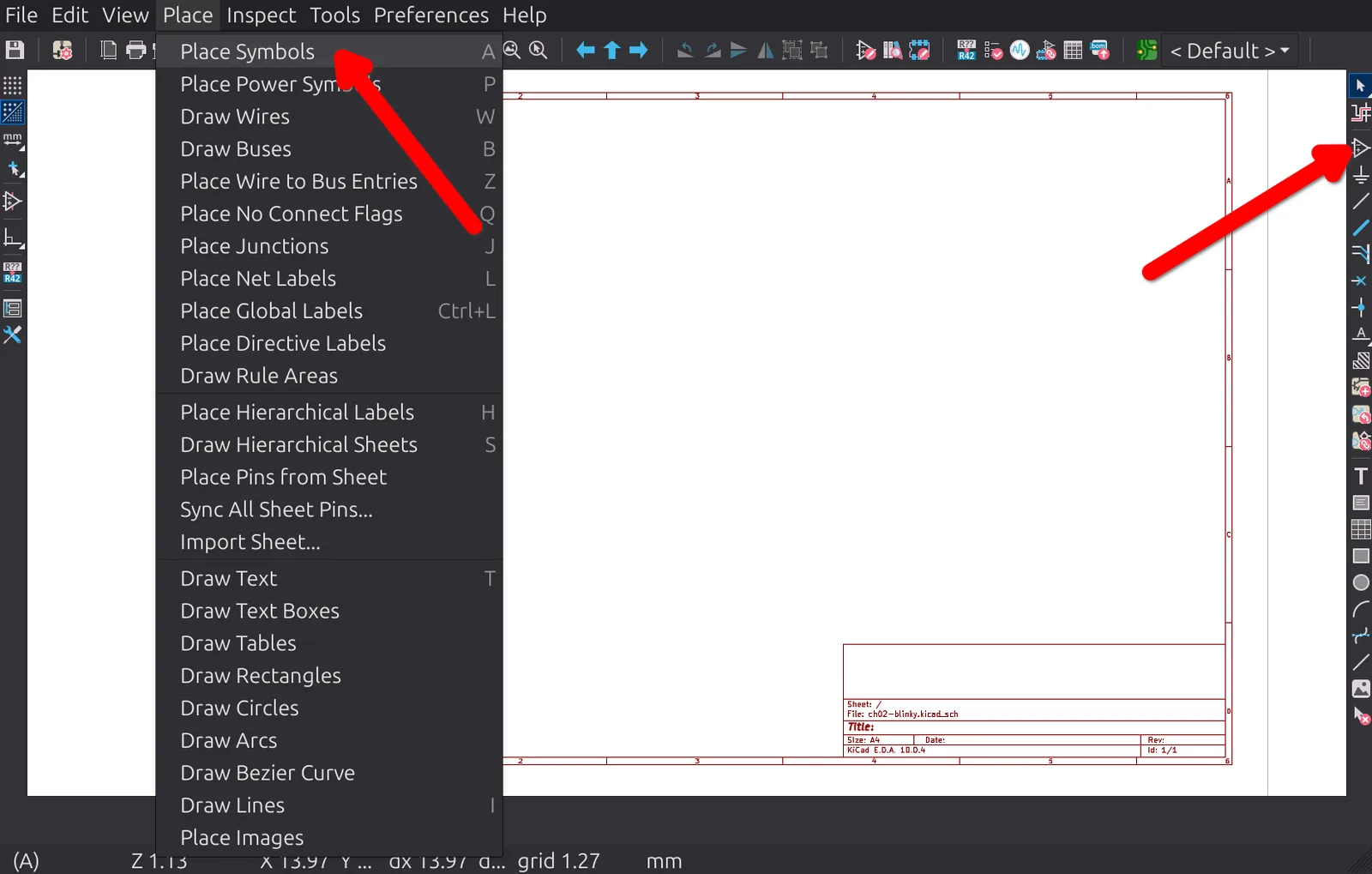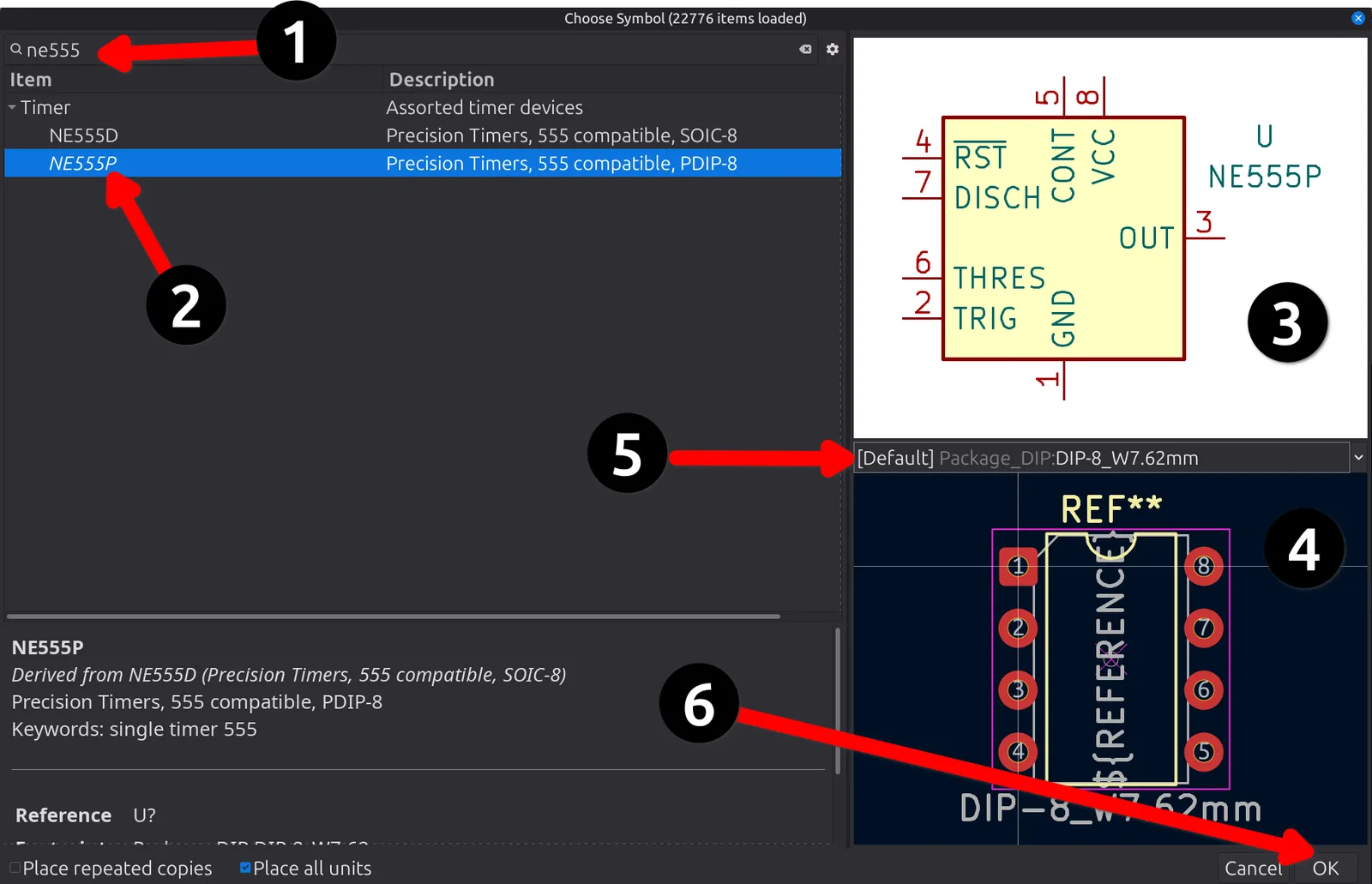

A Hands-On Tour: Schematic
Enough reading. In this chapter you will open the Schematic Editor and draw a real circuit, the same way you would on a paying job, only smaller. By the end you will have a finished, error-checked ‘schematic’ for a little blinking-LED board, ready to be turned into a real PCB in the next chapter. Think of this as a gentle, guided first lap. I will tell you exactly which button to click and why, and you will follow along. The deeper ideas behind what you are doing come later. Chapter 4 explains why it all works, and Chapter 5 turns these steps into a checklist you will reuse on every future project. For now, we act first and understand later.
The Schematic Editor is a fully featured, powerful tool, and it is where all PCB design begins. Professionals draw schematics with hundreds of parts spread across many sheets in this same editor. We are going to use a small, focused slice of it today, and you will grow into the rest over the course of the book. So we will leave the advanced corners alone for now. Features like multi-sheet and hierarchical designs, creating your own symbols and libraries, importing schematics from other tools, design blocks, the built-in simulator, and buses, are very useful but not necessary for the kind of board you are about to design. KiCad’s official documentation covers every one of those in depth when you are ready.
Here is what we are building (Figure 2.1). It is a classic circuit, a 555 timer wired as an ‘astable multivibrator,’ which is a fancy way of saying it switches on and off all by itself, over and over. We use that steady on-off signal to flash an LED a couple of times a second. If you leave the button unpressed, nothing happens. If you press the button to power it up, it blinks. It is the kind of circuit that has launched a million electronics hobbies, and it is the perfect size for a first tour. It only has a handful of parts, a few connections, and nothing exotic.
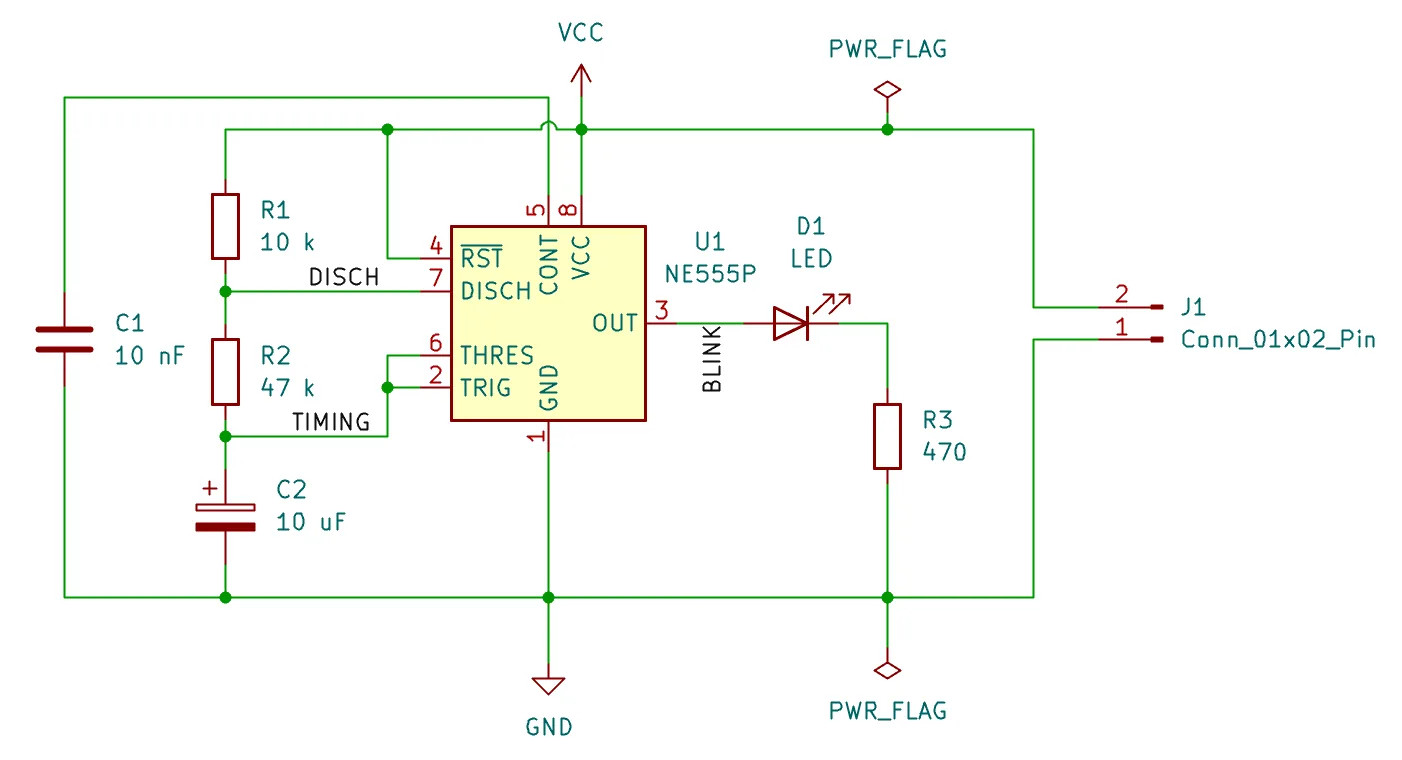
Figure 2.1: The finished schematic for our 555 blinker. This is where we are headed.
The circuit uses only parts from KiCad’s standard libraries, so you will not have to hunt anything down on the internet. It is built from:
- a 555 timer chip, the brain of the blinker;
- three resistors: two that set how fast it blinks, and one that protects the LED;
- two capacitors: one that sets the blink rate with the resistors, and one that steadies the chip;
- an LED, the part that actually lights up;
- a 2-pin connector where a battery plugs in (a 9 V block, or four AA cells, suits the 555 well).
Don’t worry if you can’t yet read the circuit or work out the blink rate. That is electronics, not KiCad, and it is not what this chapter is about. Our job here is to learn the editor, by drawing this circuit step by step.