

Finding, Importing, and Managing Parts
In Chapter 2 you placed every symbol your blinker needed, and in Chapter 3 you gave each one a footprint, without once leaving KiCad or opening a web browser. This was due to planning on my part. I chose that circuit precisely so that every part lived in KiCad’s standard library, the large collection of symbols and footprints that ships with the program. Both tours leaned on that convenience, as I didn’t want to introduce the topic of third-party libraries too early in this book. This chapter is where we give this topic proper attention, because the day will come, probably sooner than you expect, when you reach for a part and KiCad does not have it.
When that happens, you are not stuck. There is a clear path to follow. That path is what this chapter is about: where parts come from, how to bring a missing one into your design from a trustworthy source, and how to manage the parts you collect so a project still opens cleanly years from now. We are going to use libraries here, not build them; authoring a symbol or footprint from scratch is a craft of its own, and it waits for you in Volume 2.
The sourcing decision tree
Every time you need a part, you are really asking the same question in three stages (Figure 6.1). First: is it in the standard library? If it is, use it, and you are done in seconds. Second: if it is not, can you get it from a reliable source, a library that someone trustworthy has already made and published? If so, import it. Third: if no reliable source has it either, you author it yourself, drawing the symbol and footprint by hand from the part’s datasheet.
I call this the ‘sourcing decision tree.’ It matters because the alternative, assuming a part will simply be there, quietly lets you down. The standard library grows with every release, but its contents also move. A part may get renamed, reorganised into a different library, or retired. So any promise that a project uses “only standard-library parts” weakens a little with every KiCad update, and nothing on screen warns you when it breaks. The decision tree replaces that fragile promise with a durable habit. You stop hoping a part is there and start knowing what to do whichever way the answer falls.
In this volume we work through the first two stages, and between them they cover the overwhelming majority of parts you will ever place. The third stage, authoring a part from nothing, is addressed in Volume 2.
One thing to hold in mind before we start, is that a part in KiCad is not a single object but a small family. There is the ‘symbol,’ which stands for the part’s function on the schematic; there is the ‘footprint,’ the physical pattern of pads and holes the real part solders onto; and there is usually a ‘3D model,’ the three-dimensional shape that shows up in the 3D Viewer. When I say “find a part,” I mean find all three, or at least the symbol and the footprint. Keep the family in view, and most of the mistakes in this chapter never happen.
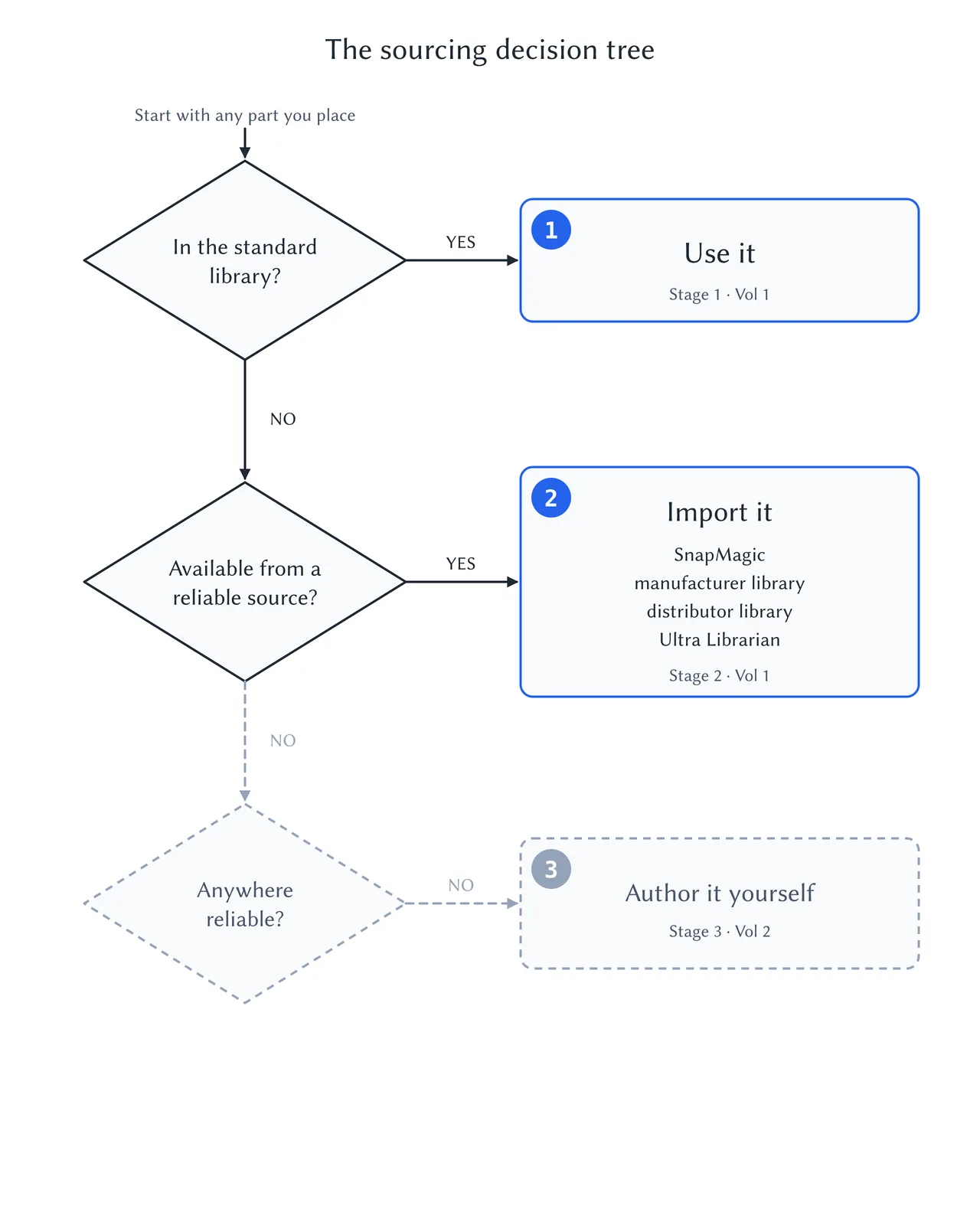
Figure 6.1: The sourcing decision tree. Ask the same three questions of every part: is it standard, is it available from a reliable source, and only then, must I make it myself?