
Project 1: Breadboard Power Supply
In Chapter 2 you drew a schematic, in Chapter 3 you turned the schematic into a manufacturable board, and you did both while I guided you every click. Chapter 5 pinned those two walks down as a checklist you can reuse, and in Chapter 6 you learned to find and import any part a design needs. This chapter is where it all comes together. You are going to build a complete board of your own, from an empty project to a folder of manufacturing files, following the same fifteen steps you already know. The difference is that this time the board is yours to drive. I will still walk beside you, but where the tours told you which button to press, here I will more often point back to the chapter where you learned the move and let you make it.
This is your first solo board, so let me introduce a workflow you can use to both guide you through the process, and as a safety net. As long as you take the eight schematic steps and the eight layout steps in order, each one leaves the design in a state the next one expects, and you will not get lost. Keep the one-page checklist from Chapter 5 open beside you, and treat this chapter as the project that proves you can follow it without me reading it out.
Here is what we are building (Figure 8.1): a small power supply for your breadboard. It takes 5 volts in over a ‘USB Type-C’ connector, the same reversible USB connector you met in Chapter 6, and delivers that 5 volts to your breadboard’s power rail through a two-pin header and a couple of jumper wires, with a switch to turn it on and off, a fuse to keep a stray strand of wire on the breadboard from harming your computer, and an LED that glows when the power is flowing. That picture is not a photograph. It is KiCad’s own 3D view of the design files you are about to create.
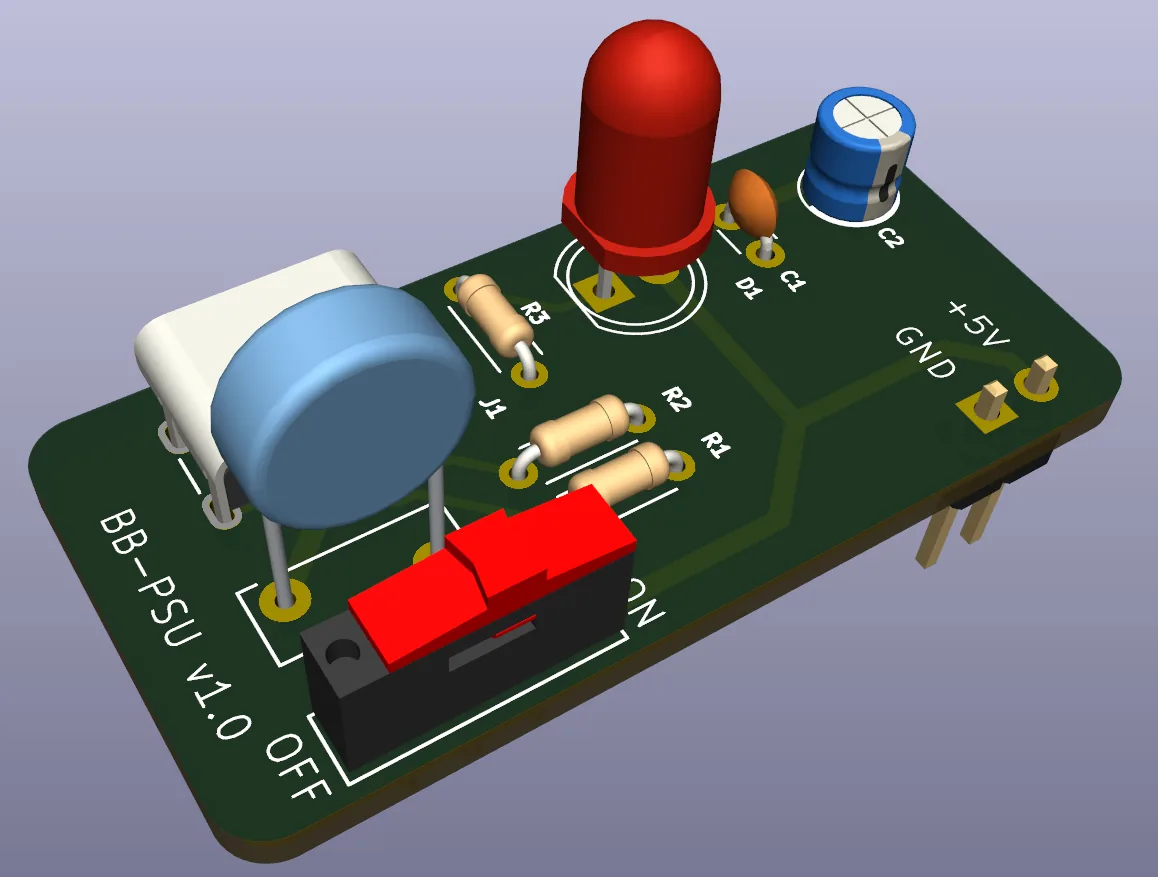
Figure 8.1: The finished breadboard power supply, as KiCad’s 3D Viewer draws it from the design files: 5 volts in over USB-C, clean 5 volts out to the breadboard. This is where we are headed.
You might wonder why a power supply has no regulator chip in it, the way many do. The answer is that USB already hands us a clean, regulated 5 volts, which is exactly the voltage a breadboard full of 5-volt parts wants. So this board’s job is not to make 5 volts but to deliver it. To bring that voltage in safely, switch it, protect it, show that it is live, and present it where jumper wires can reach. That makes this a genuinely useful first project, and a gentle step up from the blinker rather than a leap.
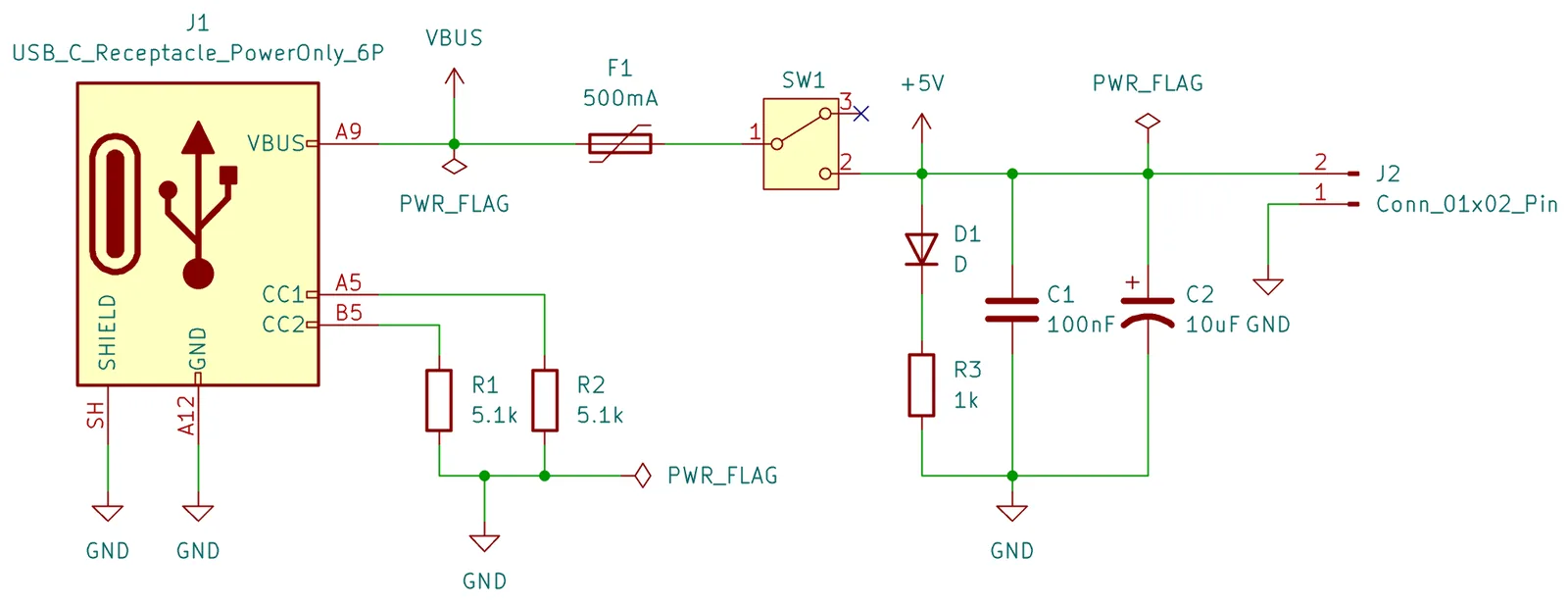
The circuit is built from a handful of parts:
- a USB Type-C receptacle (
J1), where the USB cable plugs in; - two 5.1 kΩ resistors (
R1,R2), the small but essential pair that tells a USB-C source to switch its 5 volts on (more on these in a moment); - a slide switch (
SW1) to turn the output on and off; - a resettable fuse (
F1) that trips if the breadboard draws too much, then heals itself once you clear the fault; - two capacitors (
C1,C2) that steady the supply; - an LED (
D1) and its resistor (R3) as a power-on indicator; - a 2-pin header (
J2) that feeds the breadboard’s power rail.