

The symbol you drew in the last chapter has a corresponding physical device, that in KiCad is represented by a footprint, but that footprint doesn’t exist yet. Drawing it is what we’ll do in this chapter. Compared to drawing the schematic symbol, drawing the footprint is a more tedious task, but at the same time the more interesting half of authoring the DRV8833. A symbol is an abstract drawing that captures electrical information about the part, but a footprint has to match the physical reality of the actual component. The footprint has to capture the physical characteristics of the copper the part actually solders to, and every dimension has to match the package drawing in the datasheet, not just look “about” right. If you get a symbol slightly wrong, the worst outcome is that the schematic will look slightly weird. But if you get a footprint wrong, the part will not fit, or will not solder, and you find out only after you have paid a factory to build the board.
The DRV8833 comes in a sixteen-pin ‘HTSSOP’ package, a thin small-outline package with one feature that makes it a perfect teaching part: an exposed thermal pad on its underside. That pad is a slab of metal the chip uses to expel its heat into the board. This element gives us an excellent learning opportunity, because it turns what would be a routine sixteen-pad footprint into a complete lesson about copper, vias, and solder paste. A simpler part would let you skip that lesson. Also, this part is one we’ll be using in the capstone project, and Figure 2.1 shows where the chapter is going. As always, keep the datasheet’s mechanical drawing open beside you (https://www.ti.com/lit/ds/symlink/drv8833.pdf); it gives you every measurement you are about to need. Start on its page 3, because the same chip is sold in three different packages, and the first thing to get right is which of them you are drawing (Figure 2.2).
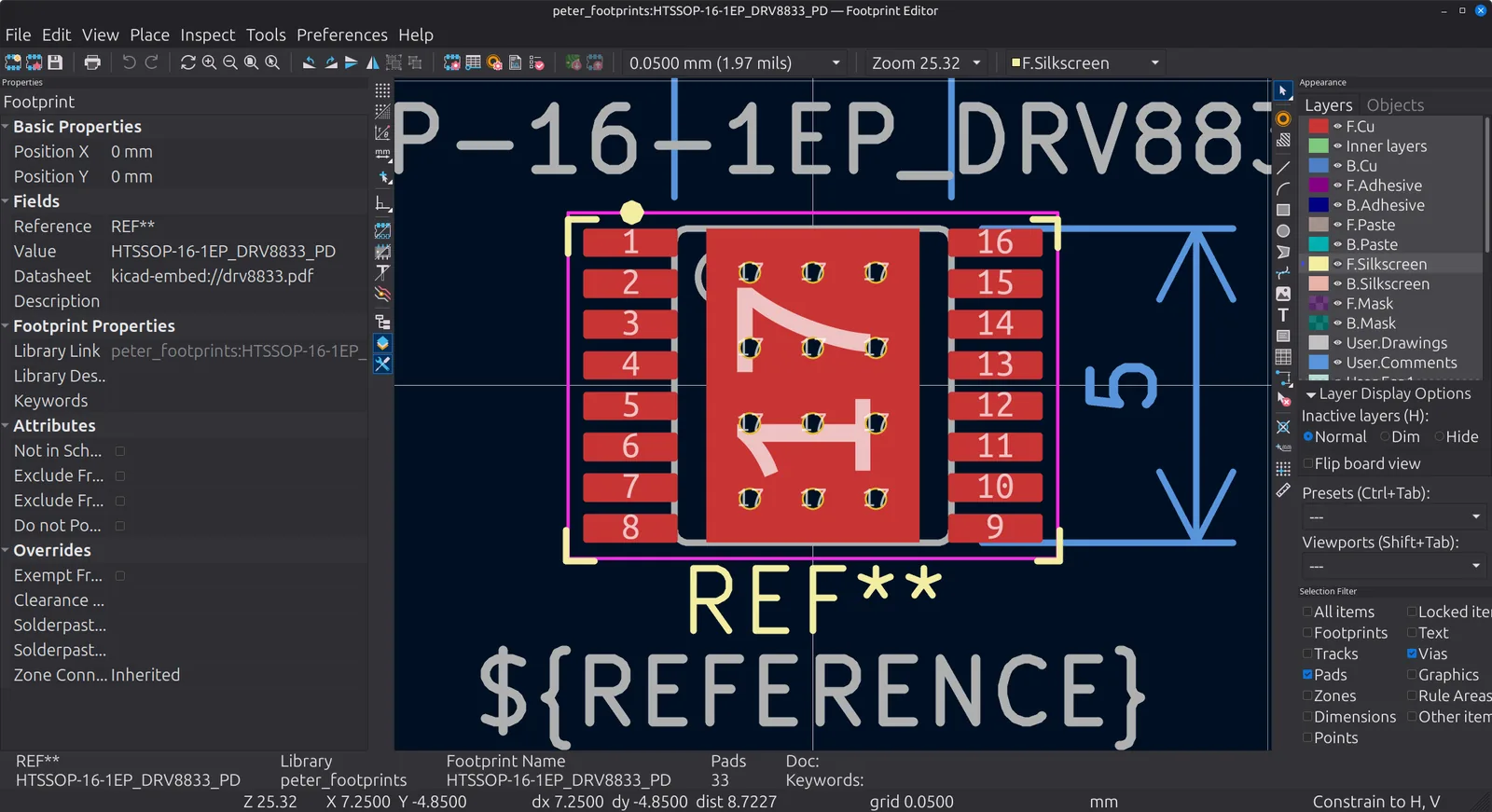
Figure 2.1: Where this chapter is going: the finished HTSSOP-16-1EP_DRV8833_PD in the Footprint Editor. The sixteen perimeter pads run 1 to 8 down the left and 9 to 16 up the right, and the exposed thermal pad fills the middle with its grid of twelve thermal vias. The magenta rectangle enclosing everything is the courtyard, and the silkscreen carries a corner mark at each corner with the pin 1 dot at the top left. The grey rounded outline and the ${REFERENCE} text belong to F.Fab, and the blue lines are the two User.2 dimensions that record the body, with the 5 mm length legible down the right side. The status bar reads “Pads 33”, which is everything in the list above added together.
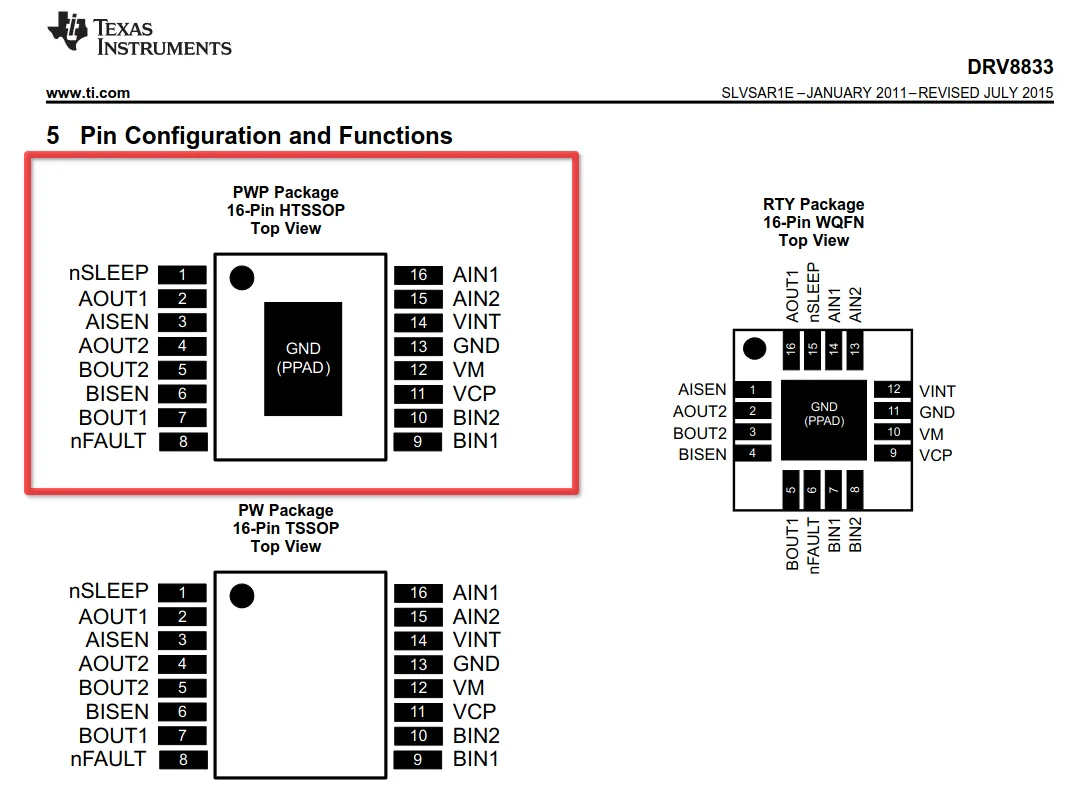
Figure 2.2: The DRV8833’s packages, on page 3 of the datasheet. The boxed one, the “PWP Package, 16-Pin HTSSOP”, is the part this chapter draws: eight leads down each side, and the black slab in the middle labelled “GND (PPAD)”, which is the exposed thermal pad that becomes pad 17. The “PW Package” below it is the same pinout without that pad, and the “RTY Package” to the right is a WQFN, which carries the same functions on different pin numbers. Keep that last one in mind; it is the trap when you check your pad numbering later.